
Discord
Send Xyte notifications into a Discord channel by creating a Discord webhook and pasting its URL into Xyte. This takes about two minutes.
Before you start
- Make sure you have the Manage Webhooks permission on the Discord server. Server owners and admins have it by default.
- Decide which channel the Xyte messages should post to.
Step 1 — Create the webhook in Discord
-
Open Discord and go to the server you want to post to.
-
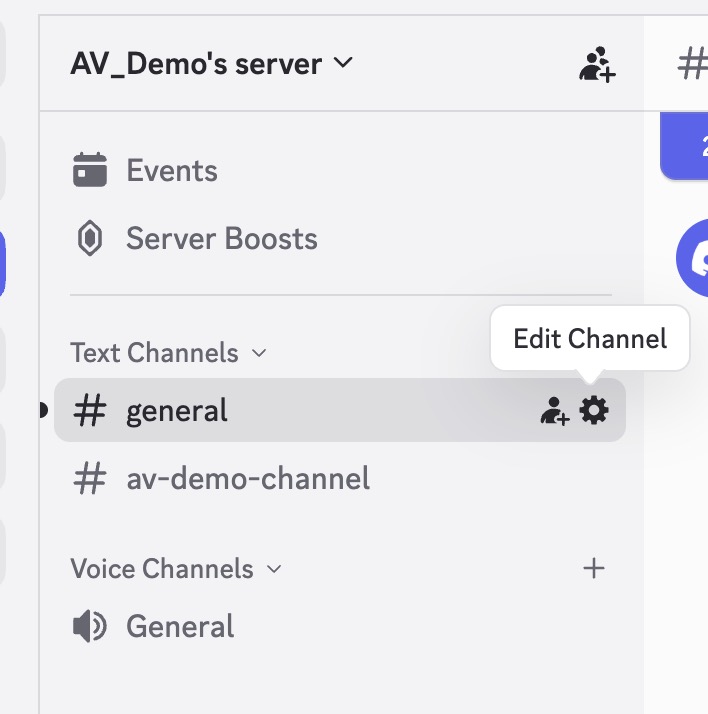
Open Server Settings → Integrations → Webhooks.
You can also open this from the channel: hover over the channel, click the gear icon, then go to Integrations → Webhooks.
-
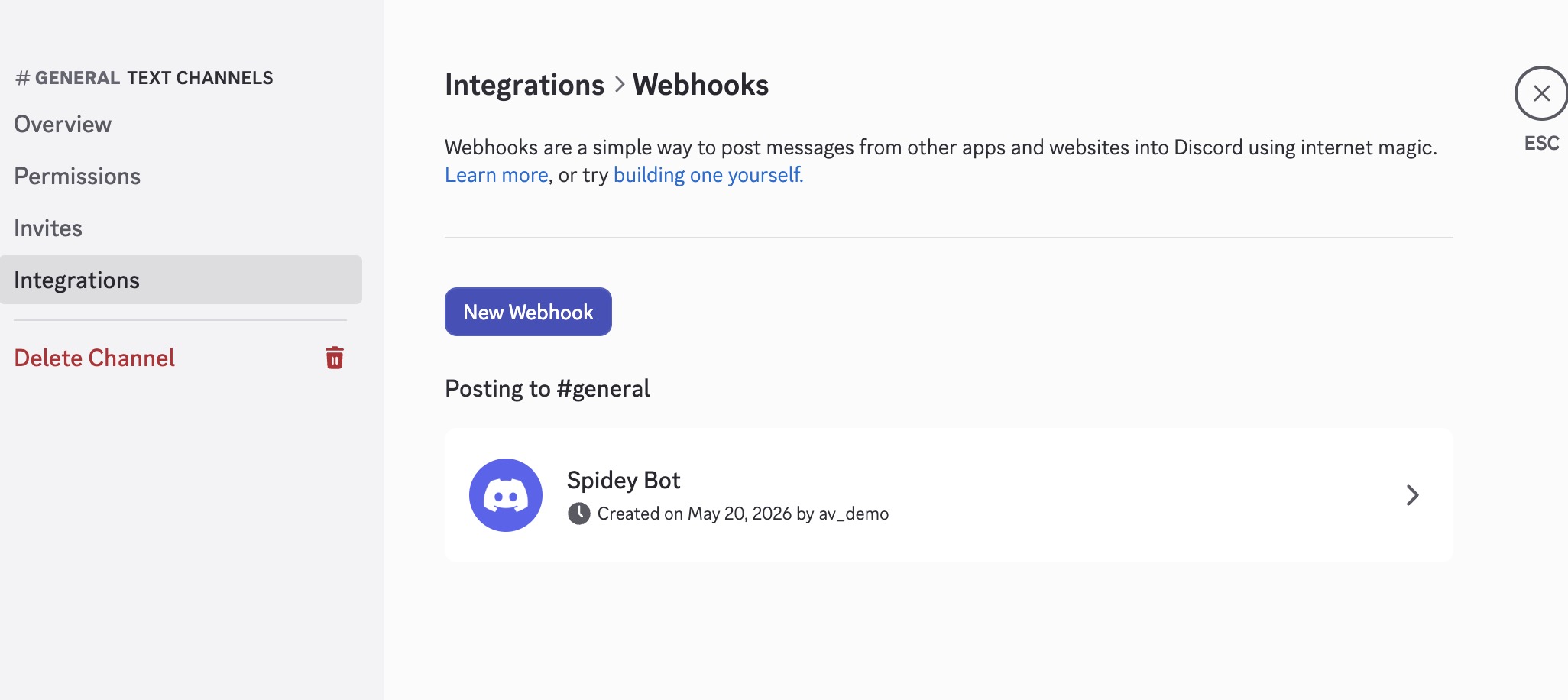
Click New Webhook. Discord creates one automatically.
-
Click the new webhook to open it, then:
- Give it a clear name. For example:
Xyte Alerts. - Set the channel it should post to.
- Optionally set an avatar.
- Give it a clear name. For example:
-
Click Copy Webhook URL.
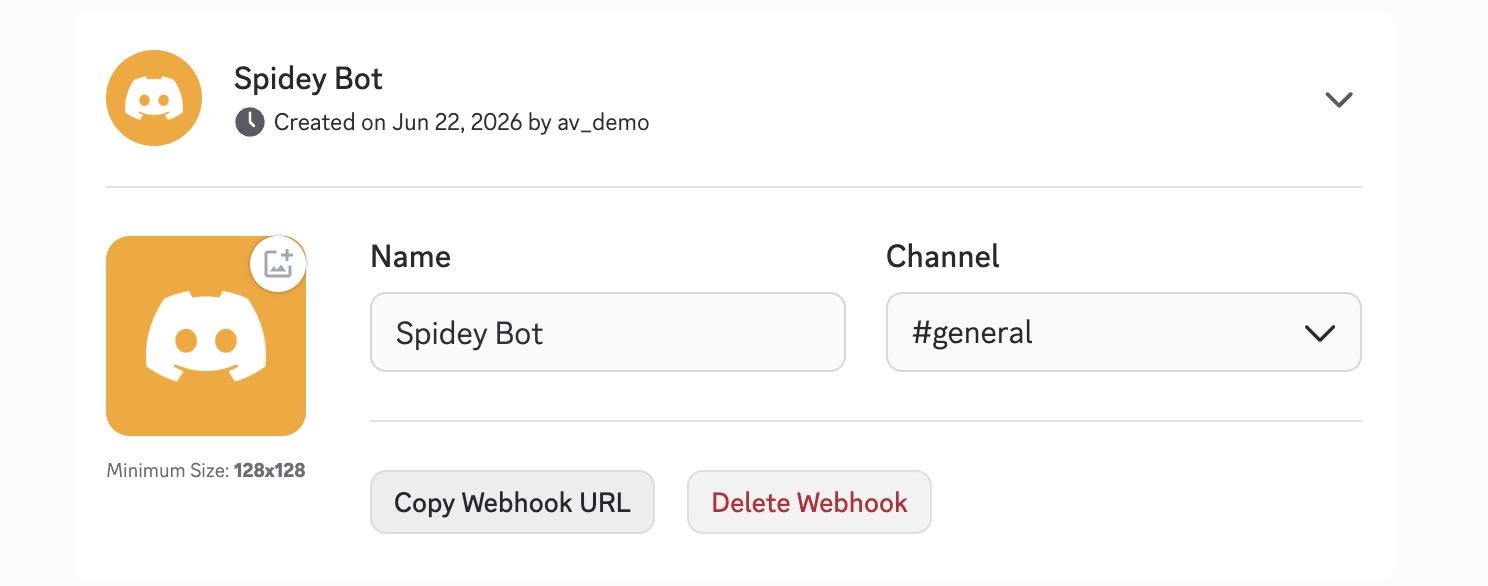
You now have a URL that looks like this:
https://discord.com/api/webhooks/<id>/<token>Discord's own walkthrough: Intro to Webhooks
Step 2 — Add the webhook to Xyte
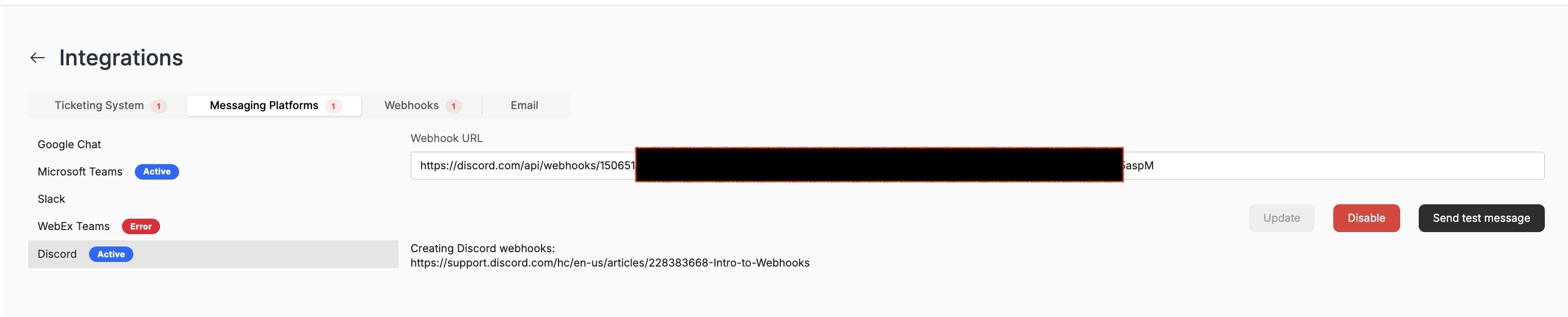
- In Xyte, go to Settings → Integrations.
- Open the Messaging Platforms tab.
- Select Discord from the list on the left.
- Paste the copied URL into the Webhook URL field.
- Click Update.
Step 3 — Verify
- Click Send test message.
- Check your Discord channel. The test message should appear there.
- In Xyte, Discord will show as Active and the integration card will show Enabled.
Once enabled, Xyte notifications will be delivered to that Discord channel.
This integration is stable — we haven't had issues that call for a dedicated troubleshooting guide. If you run into a problem, contact [email protected] and we'll help.
Updated about 2 months ago
Did this page help you?