
Poly Lens
| Syncs | Poly / HP room & personal devices |
| Authentication | OAuth 2.0 (Poly Lens) |
| Direction | Inbound — imports devices into Connect+ |
Syncs Poly Lens-managed devices for status and telemetry.
Prerequisites
To use the Poly Lens cloud API with Xyte, make sure you have:
- Required account / tenant: Poly Lens tenant
- Required access: API credentials
- Required plan / license: Premium or Pro entitlement; basic tier does not include API credentials
- Where to verify: Poly Lens Premium / Pro info page
Status and sync
- Xyte reads each device's connection state from Poly Lens on every sync, every 15 minutes.
- A device shows as online when Poly Lens reports it as connected, and offline otherwise.
- Status changes appear in Xyte on the next sync.
- If a device is removed from Poly Lens, Xyte doesn't mark it offline. It's removed from Xyte after a while.
Authorization with the Poly Lens cloud is done via an Admin Level API Key.
Steps
-
Visit the Poly Lens cloud at https://lens.poly.com/
-
Login to your account.
-
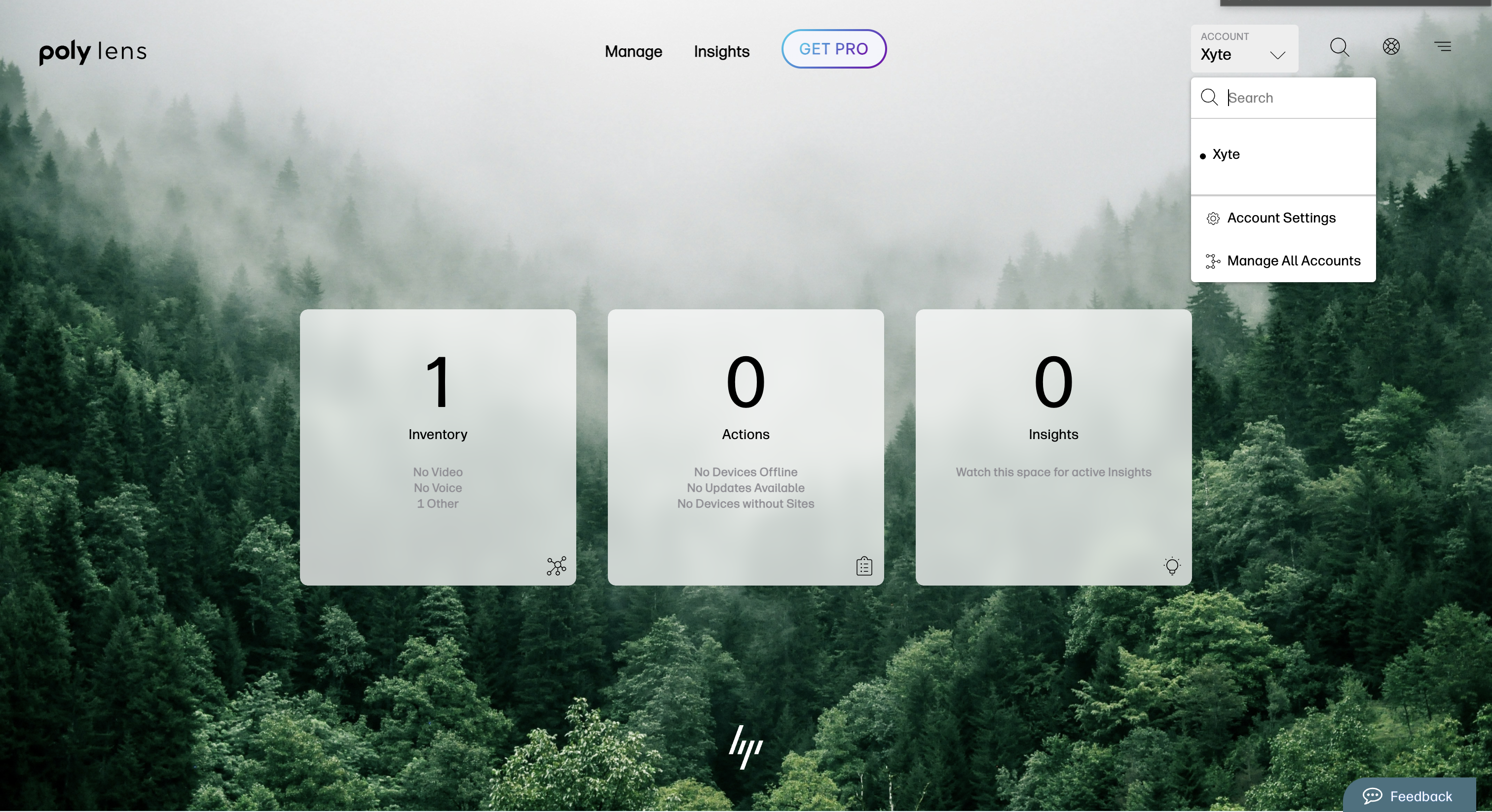
Go to the "Account menu" on the top right and select "Manage Accounts"
-
Select the account you with to connect.
-
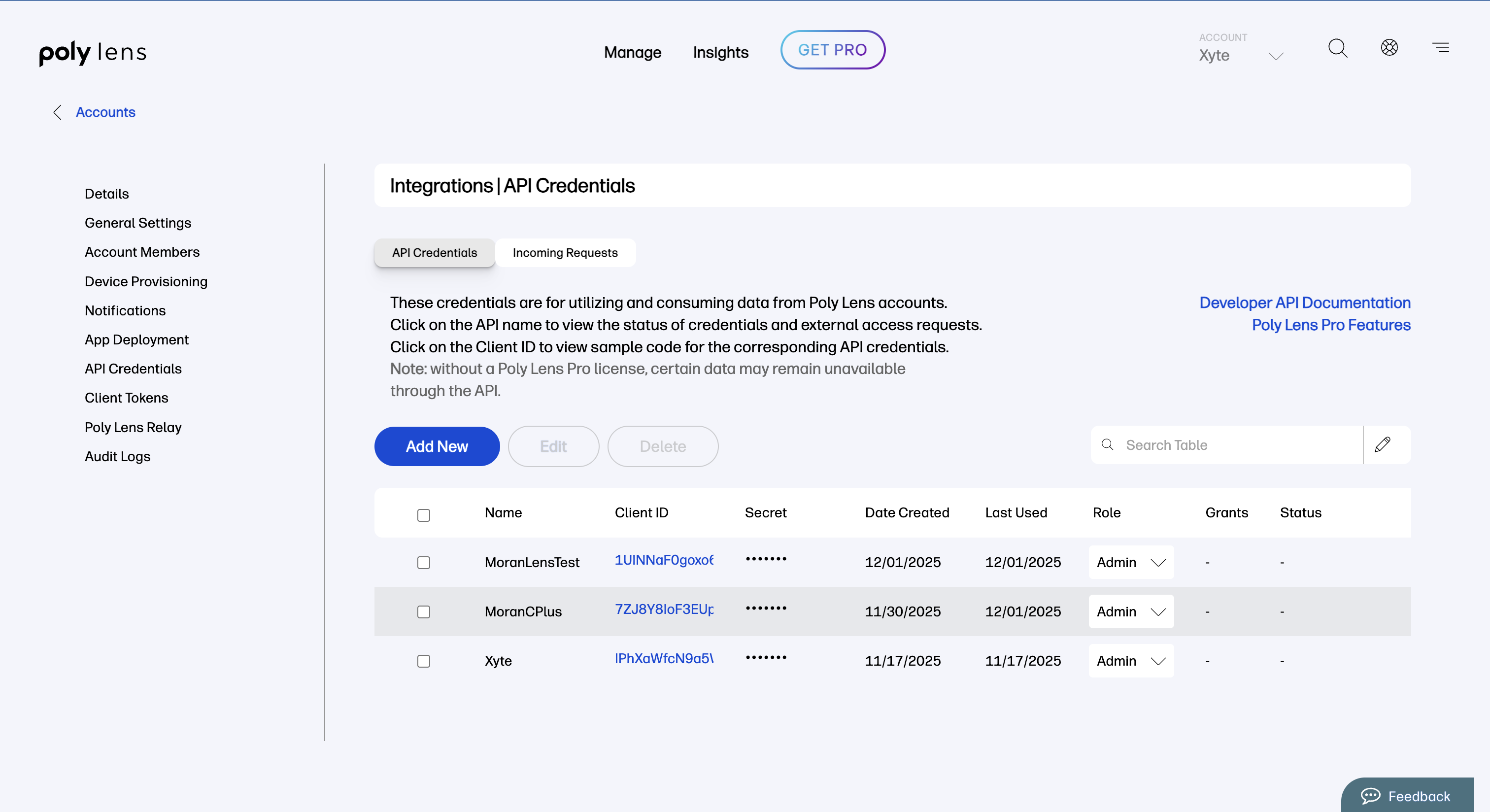
Select "API Credentials" from the left side bar.
-
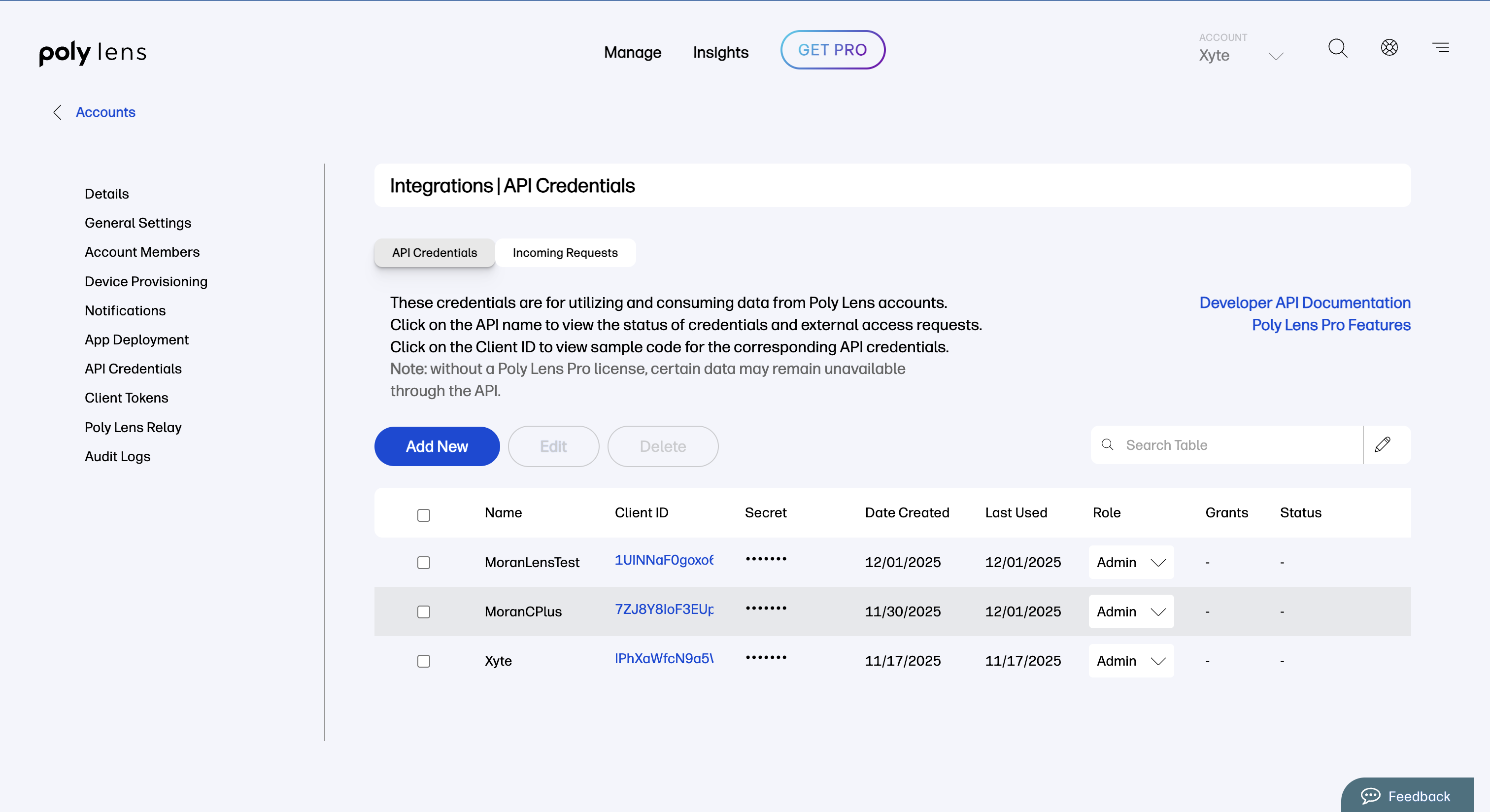
Click the "Add New" button.
-
Select "Admin" from the dropdown and click "Create".

-
Copy the Client ID and Secret and paste them on Xyte's side.
Additional information
Connector root space name: Poly Lens
If deleted and re-added:
Deleting this connector will remove all imported devices and their data. This action cannot be undone.
- A new connector will be created upon re-adding.
- If the name
Poly Lensalready exists, the new connector will be namedPoly Lens 1. - The device tree will be re-imported under the new connector.
- The tree hierarchy will not be deleted.
After you submit, you'll see a confirmation that your credentials were submitted. Authorizing the integration and syncing devices can take up to 72 hours — you'll be notified when it's done.
Updated 3 days ago