
Adding a Connector
Add a connector by selecting the provider, customer, and authorization details.
Add a new connector by selecting the provider, customer, and authorization details.
Adding a Connector
-
Click the "Add connector" button on the top right.
-
Select the Connector to add
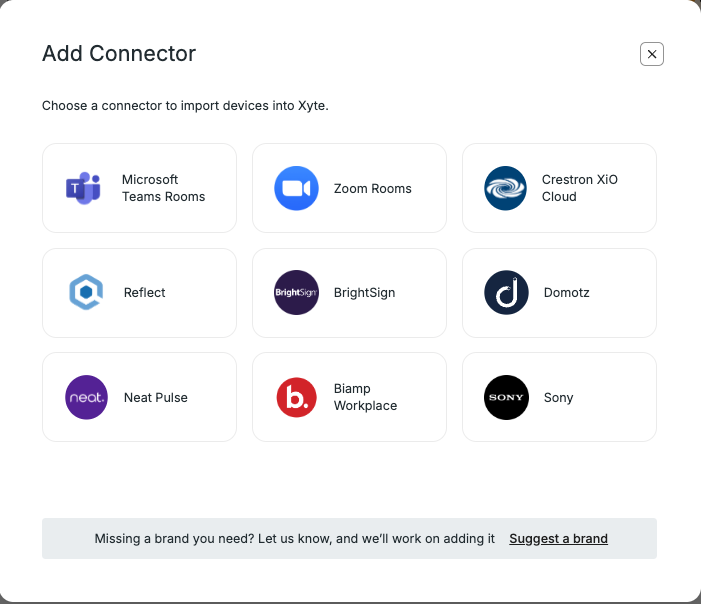
-
Select the Customer this Connector belongs to (or add a new customer).
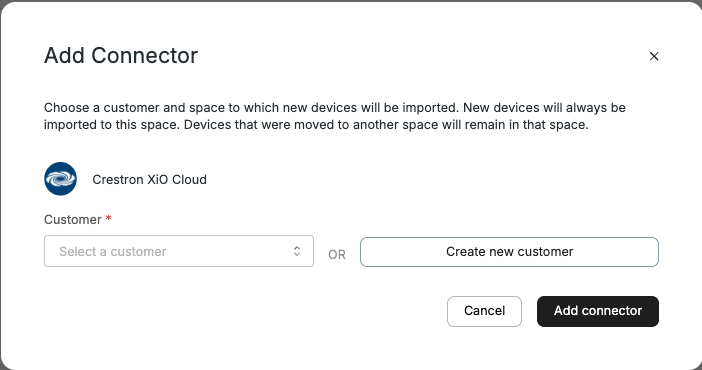
-
Choose how to authorize the connector:
-
Authorize — use this option when you can sign in to the manufacturer cloud yourself. Xyte opens the authorization page in a new tab and automatically inserts the passcode.
-
Share link — use this option when someone else needs to authorize access to the manufacturer cloud.
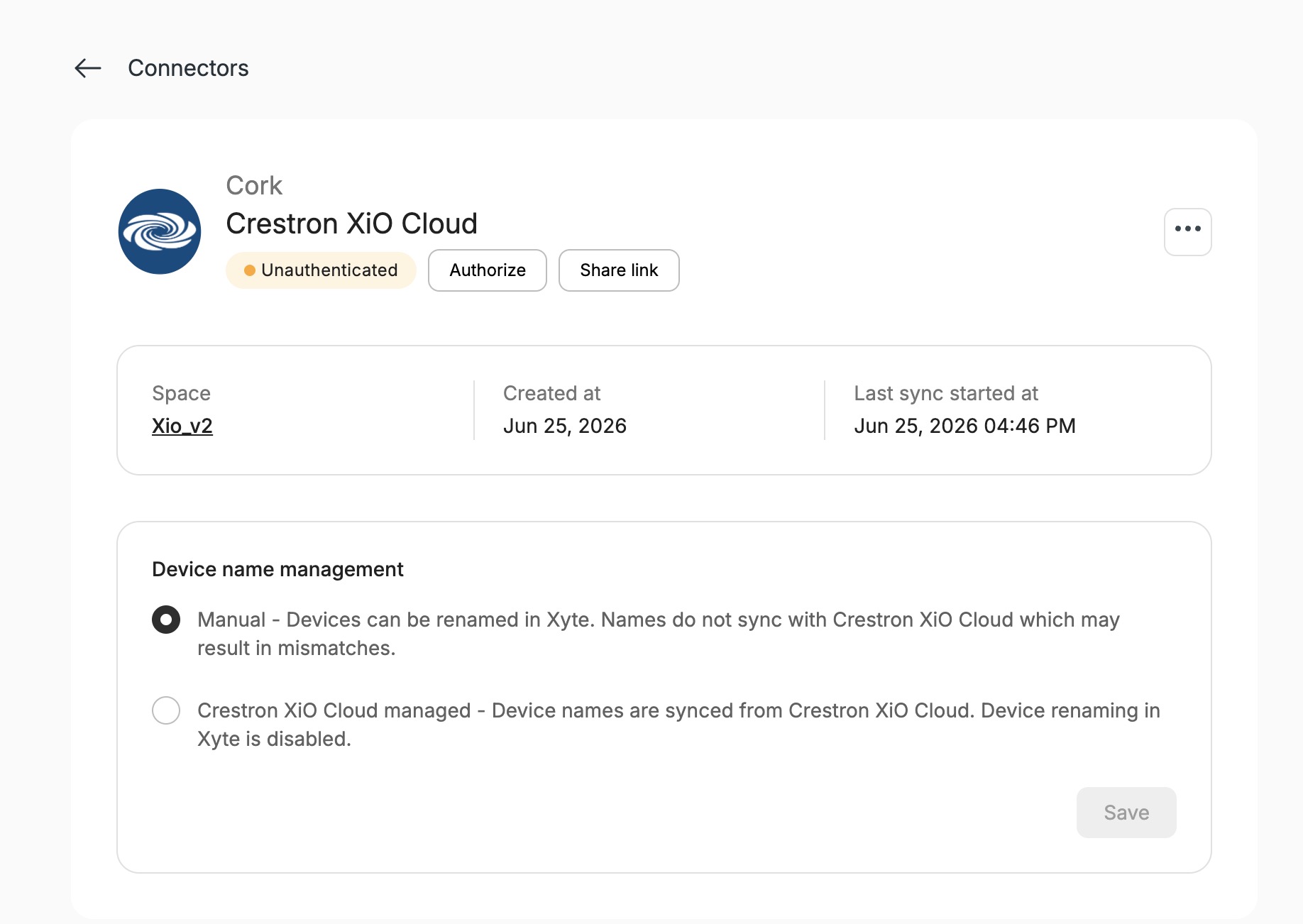
-
-
If you select Share link, copy the provided Authentication Link and Passcode and send them to the person responsible for managing the manufacturer cloud from your customer or on your account.
-
The user authorizing the cloud through the shared link does not need to have an account on Xyte.
Updated 19 days ago