
Yealink Management Cloud Service
Sync Yealink devices into your Xyte tenant via the Yealink Management Cloud Service (YMCS).
Prerequisites
To connect Yealink you need:
- A YMCS account — an enterprise (or channel) account on the Yealink Management Cloud Service, signed in at your regional portal (for example,
us.ymcs.yealink.com). - Admin access — the account must be able to open System Management → API Service.
- API credentials — an AccessKey ID and AccessKey Secret generated in YMCS (see below).
YMCS accounts are provisioned through Yealink resellers/distributors. If you don't have one, contact your distributor or open a ticket at ticket.yealink.com.
Status and sync
- Xyte reads each device's status from YMCS on every sync, every 5 minutes.
- A device shows as online when YMCS reports it as Online, and offline when it's reported as Offline.
- YMCS online and offline alerts can also update the status between syncs.
- If a device is removed from YMCS, Xyte doesn't mark it offline. It's removed from Xyte after a while.
Connect the Yealink Management Cloud Service (YMCS) to sync your Yealink devices into your Xyte tenant and manage them alongside every other device — health, status and firmware, all in one place.
Get your API credentials
Step 1 — Sign in to YMCS
Open your regional Yealink Management Cloud Service portal and sign in with an admin account.
Step 2 — Open System Management → API Service
In the left-hand menu, go to System Management, then API Service.
Step 3 — Acquire your AccessKey ID and Secret
Click Acquire to generate an API client. YMCS creates an AccessKey ID and an AccessKey Secret — the two values Xyte needs.
Copy the AccessKey Secret now and store it somewhere safe. Depending on your YMCS version, the secret may only be shown once.
Step 4 — Enter the credentials in Xyte
-
In Xyte, open Connections → Cloud Connectors, click Add connector, and pick Yealink Management Cloud Service. Choose the Customer and Space the devices should land in.
-
On the API Configuration step, paste your AccessKey ID and AccessKey Secret, then confirm the connection.
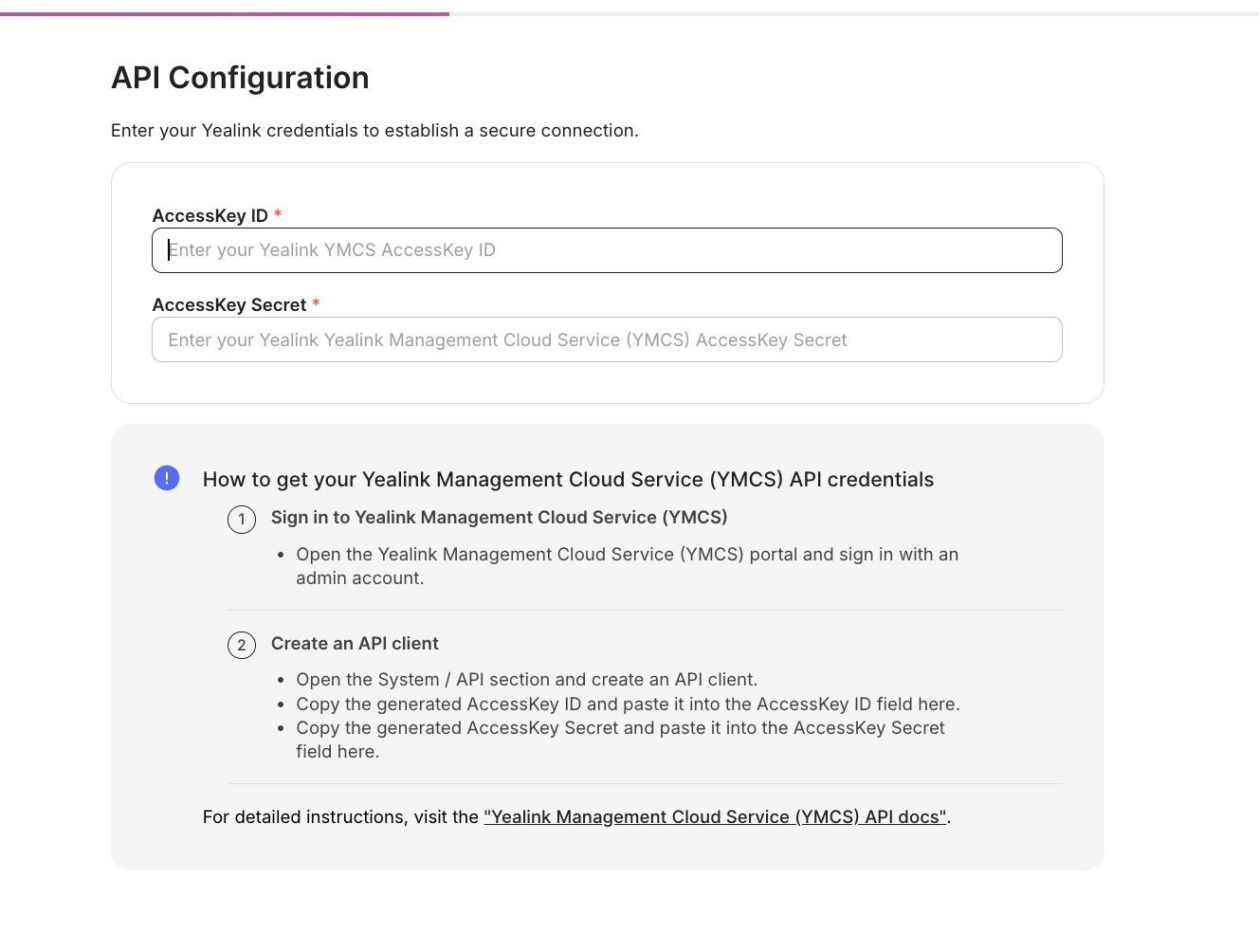
Your Yealink devices import and begin reporting status.
Additional information
Connector root space name: Yealink
For full API details, see the Yealink Management Cloud Service documentation.
After you submit, you'll see a confirmation that your credentials were submitted. Authorizing the integration and syncing devices can take up to 72 hours — you'll be notified when it's done.
Updated 3 days ago