
Appspace
Sync AppSpace devices into your Xyte tenant.
| Syncs | AppSpace signage & players |
| Authentication | API credentials (AppSpace) |
| Direction | Inbound — imports devices into Connect+ |
The Appspace connector lets Xyte monitor devices managed in your Appspace environment. Authentication is done via an API token generated in the Appspace portal.
Status and sync
- Xyte reads each device's status from Appspace on every sync, every 5 minutes.
- A device shows as online when Appspace reports it as Online. Any other status shows it as offline.
- Status changes appear in Xyte on the next sync.
- If a device is removed from Appspace, Xyte doesn't mark it offline. It's removed from Xyte after a while.
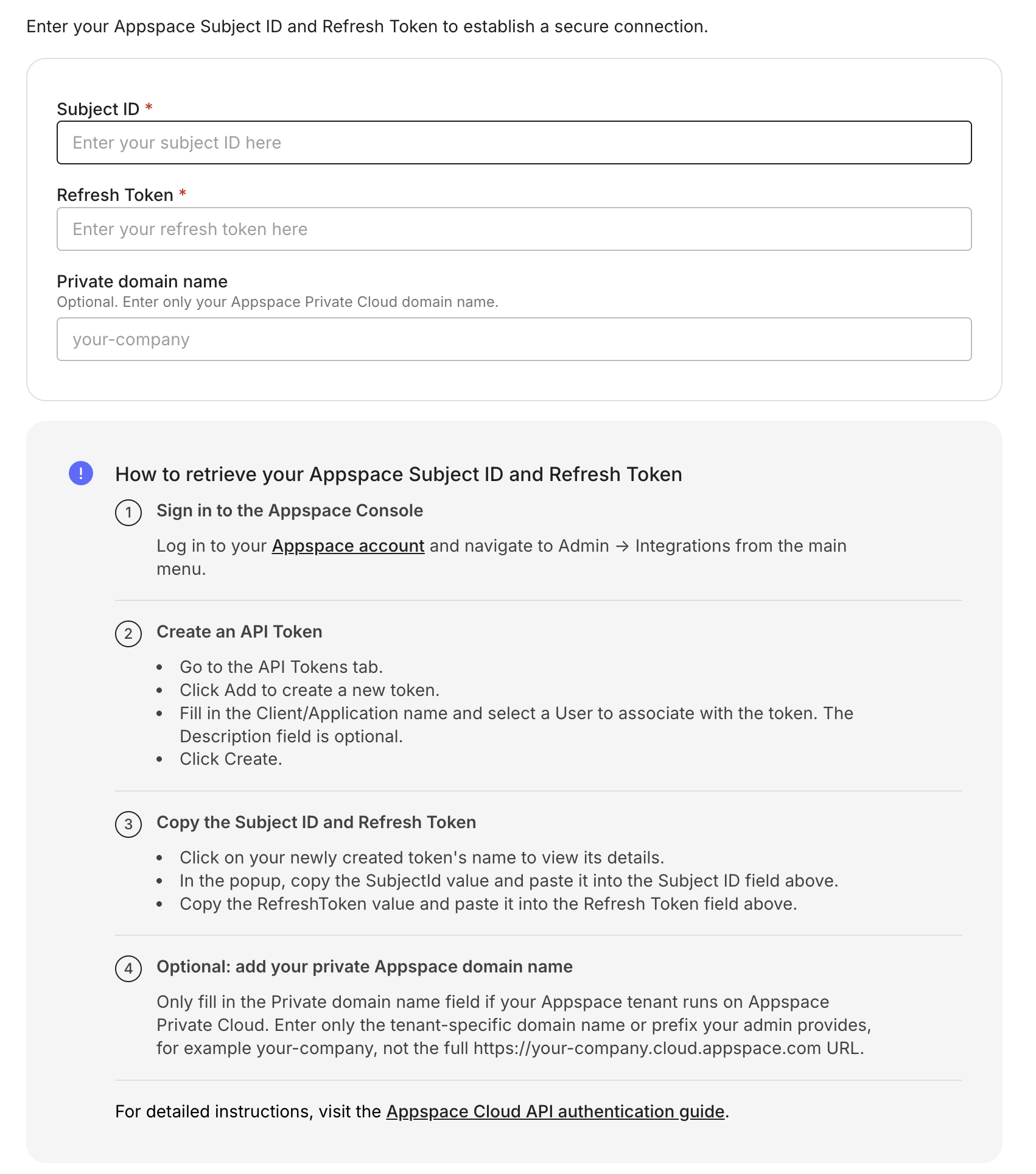
Step 1: Generate an API token in Appspace
- In Appspace, go to Integrations.

- Navigate to API Tokens and click Create.
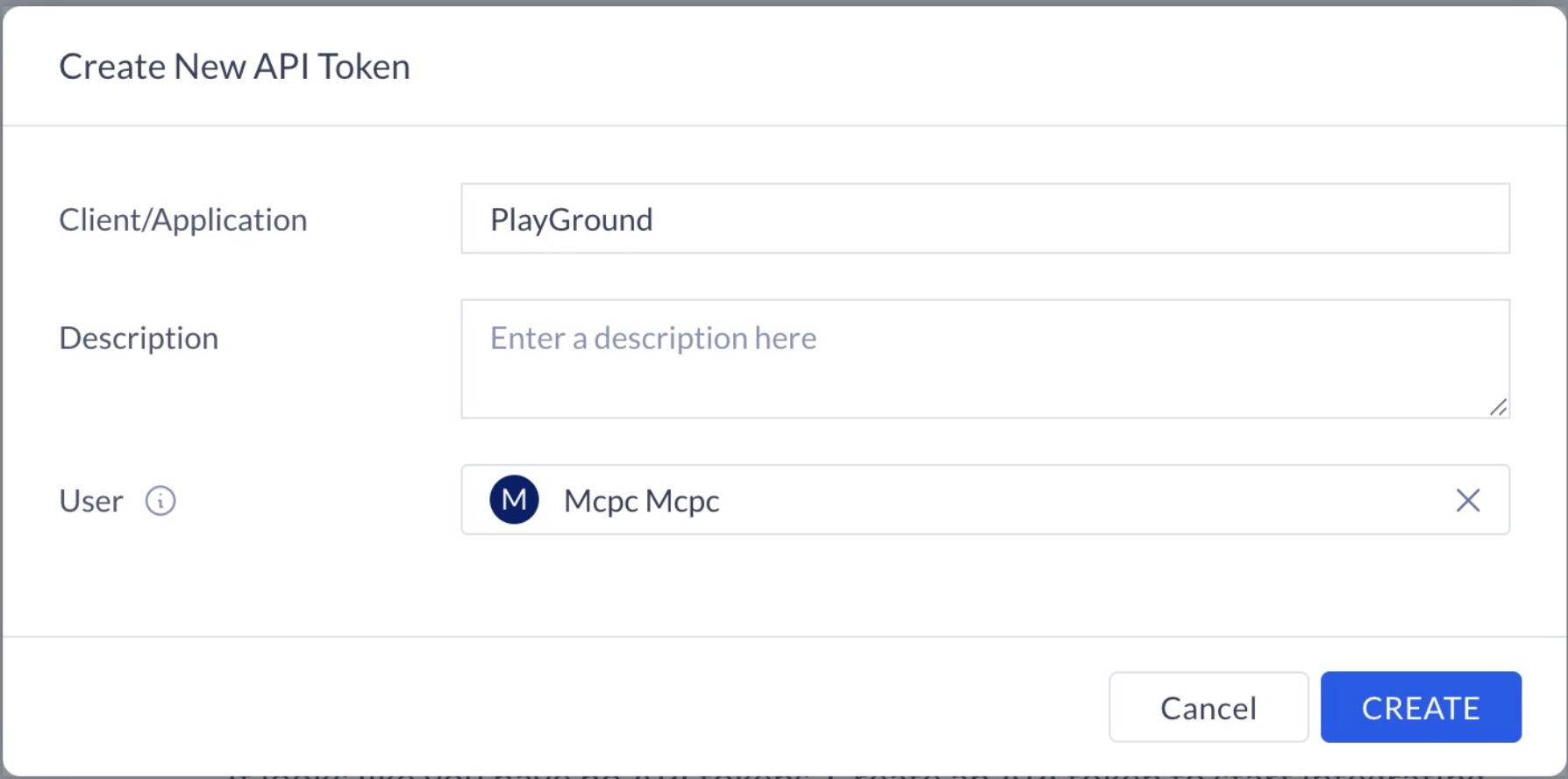
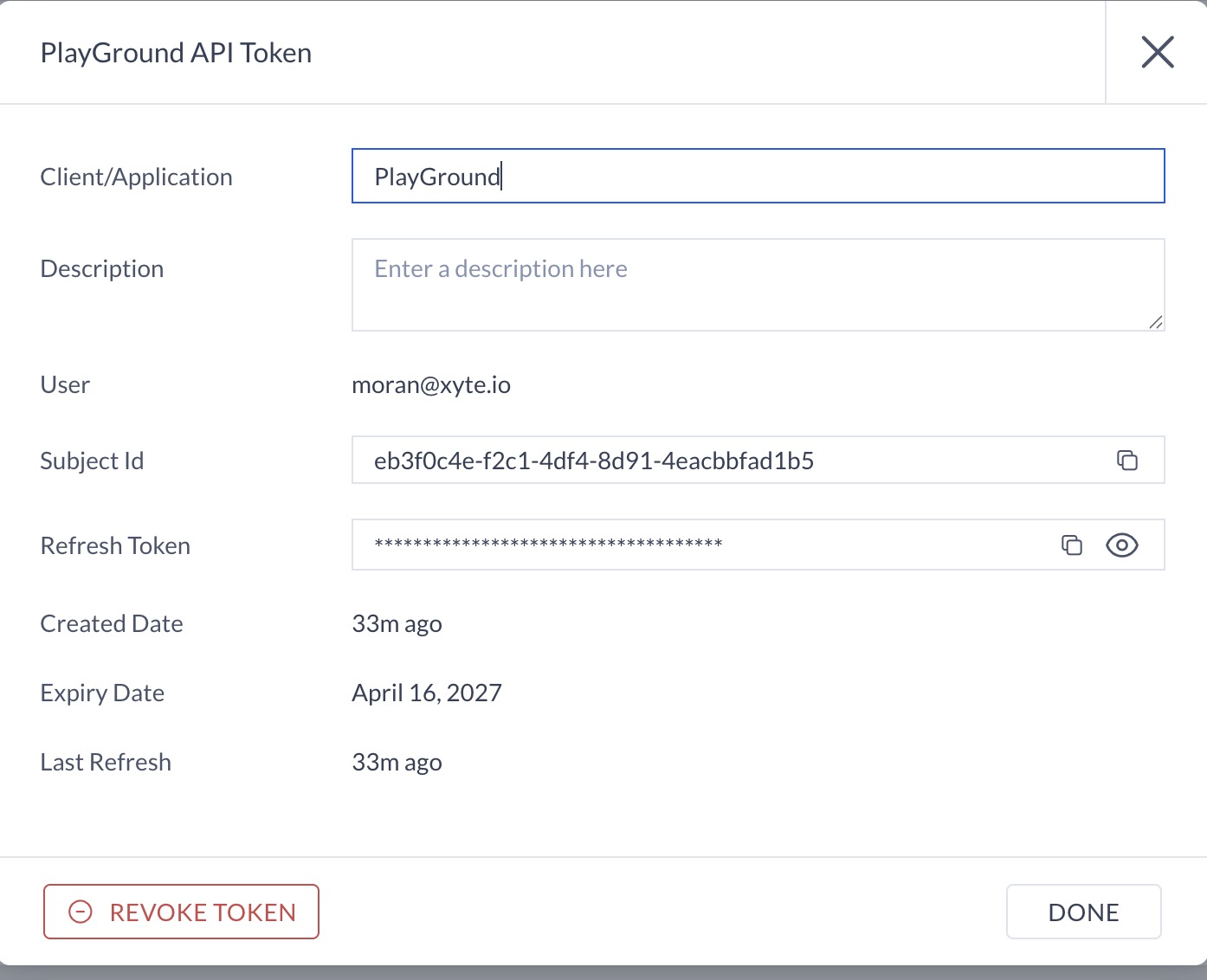
- Once created, a new entry will appear in the API Tokens list. Click on the name of the application.

- Copy the token details (Subject Id and Refresh Token)
Step 2: Connect in Xyte
In Xyte, paste the token details from the previous step.
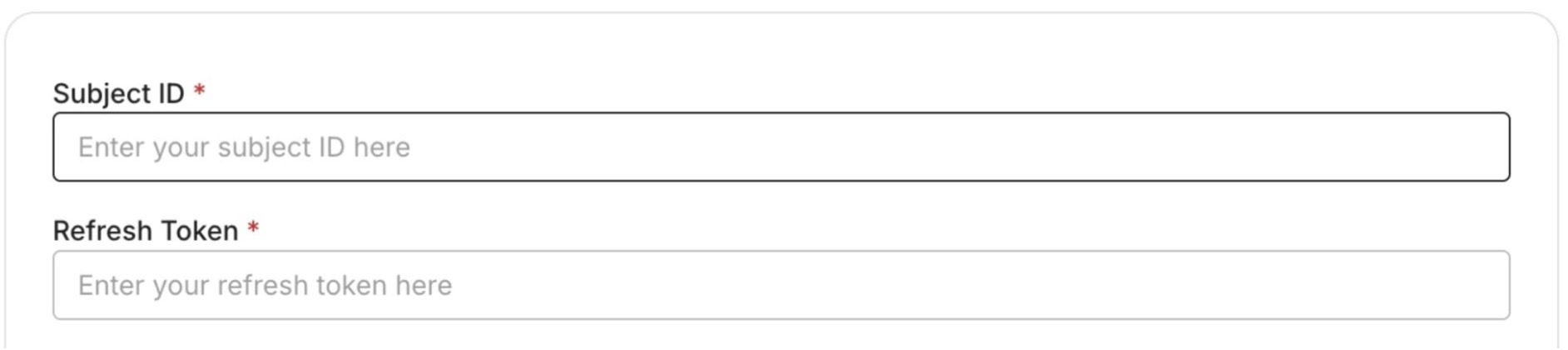
After you submit, you'll see a confirmation that your credentials were submitted. Authorizing the integration and syncing devices can take up to 72 hours — you'll be notified when it's done.
Having trouble with the AppSpace connector? See the connector troubleshooting guides.
Updated 4 days ago
Did this page help you?