
Jira Inbound Webhook
Configure a Jira inbound webhook so Xyte can trigger Jira automation rules for incident create, update, and close events.
Overview
Configure a Jira inbound webhook so Xyte can trigger Jira automation rules when device events create, update, or close incidents.
How it works
Jira's Incoming webhook trigger listens for an HTTP POST sent to a unique webhook URL. When Xyte sends a request to that URL, Jira runs the automation rule associated with it — for example, creating an incident in a Jira Service Management project.
In this flow, Jira receives webhook events from Xyte.
Step 1 — Create an automation rule in Jira
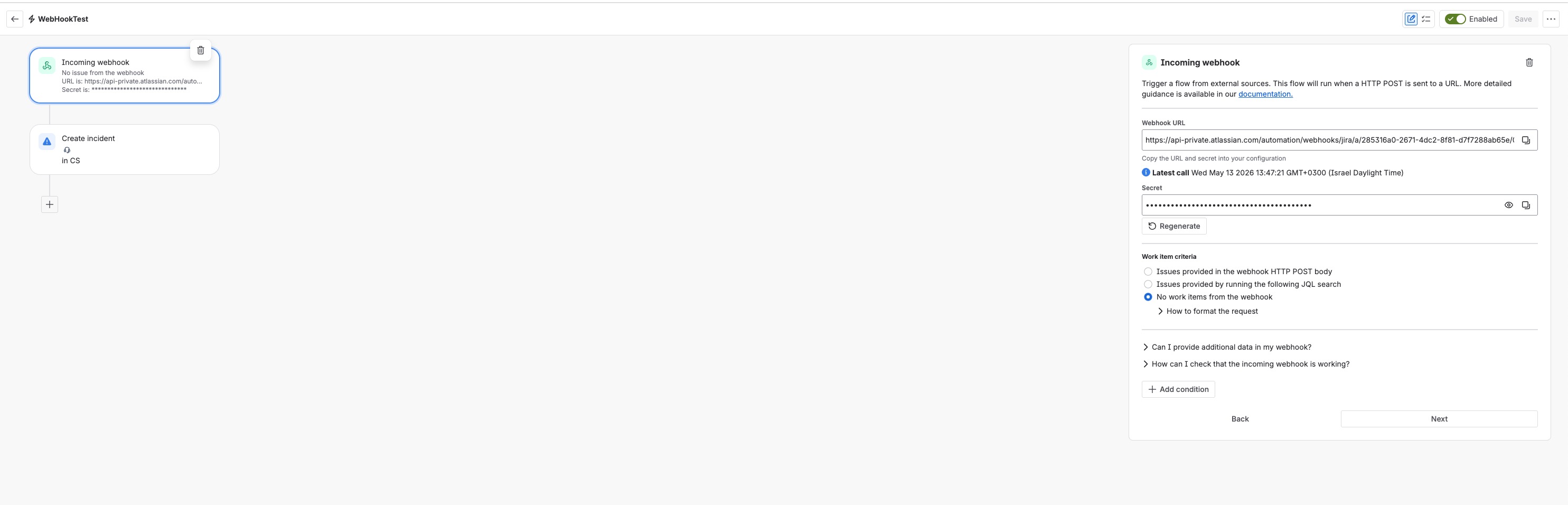
- In Jira, go to Project Settings → Automation (or Global Automation for cross-project rules)
- Click Create rule
- Select Incoming webhook as the trigger
- Jira generates a unique Webhook URL and Secret — copy both
The webhook URL looks like:
https://api-private.atlassian.com/automation/webhooks/jira/a/<rule-id>/...
- Under Work item criteria, select No work items from the webhook unless you want Xyte to pass issue keys
- Add your actions (e.g. Create incident in your Jira Service Management project)
- Save and Enable the rule
Step 2 — Configure the inbound webhook in Xyte
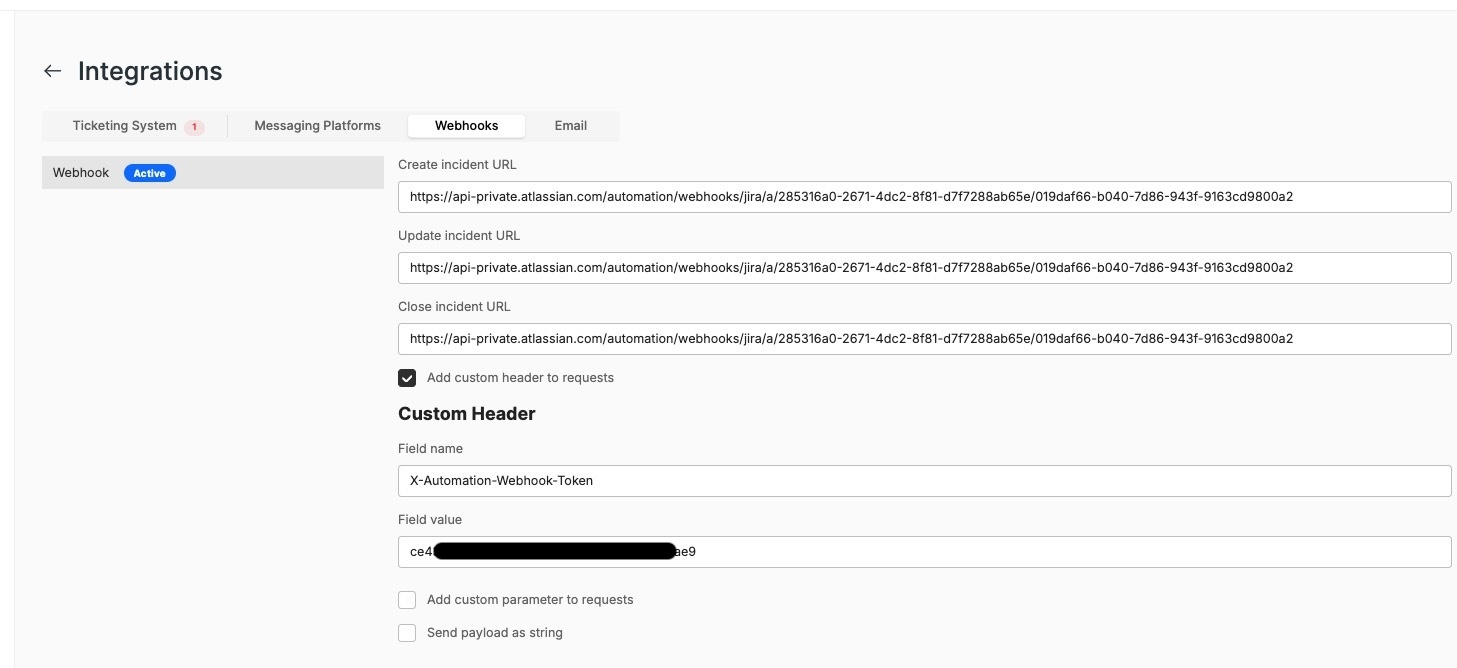
- In Xyte, go to Integrations → Webhooks
- Paste the Jira webhook URL into the Create incident URL, Update incident URL, and Close incident URL fields you want to use
- Check Add custom header to requests
- Under Custom Header, set:
| Field | Value |
|---|---|
| Field name | X-Automation-Webhook-Token |
| Field value | The Jira webhook secret copied in Step 1 |
- Leave Add custom parameter to requests and Send payload as string unchecked unless specifically required
- Save the configuration
Troubleshooting
If the webhook shows Error or the automation rule shows Some errors in the Jira audit log, check the following:
| Issue | What to check |
|---|---|
| Rule shows "Some errors" in audit log | Open the audit log entry in Jira and expand the Incoming webhook step to see the error detail |
| "No issues from the webhook" in audit log | Expected if you selected No work items from the webhook in the trigger configuration — the rule still runs normally |
| Webhook not firing | Confirm the rule is Enabled in Jira and the correct URL is pasted in Xyte |
| Authentication error | Make sure the X-Automation-Webhook-Token header value exactly matches the secret shown in the Jira trigger configuration |
Additional resources
Updated about 22 hours ago